Students & classes
Keep one student directory, class rosters, contact information and course-specific grading rules.
FEATURED PRODUCT / EDUCATION / V0.1.1
Teaching software that works where teaching actually happens.
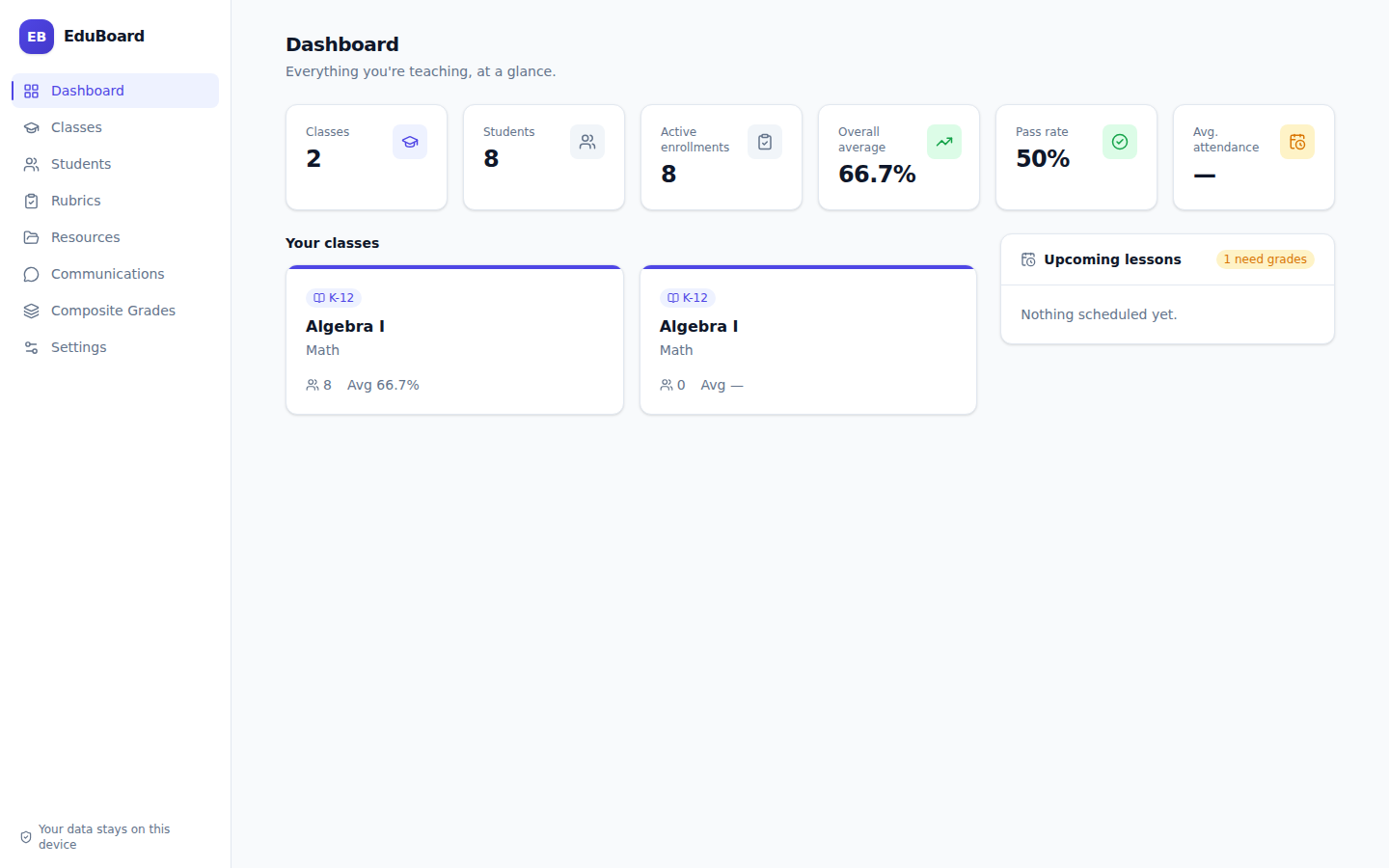
A local-first desktop workspace for students, classes, gradebooks, attendance, lesson planning, rubrics, reports and backups — with no account, server or internet connection required.
BUILT AROUND THE TEACHING DAY
EduBoard is deliberately practical: the information a teacher needs every week should not live across disconnected spreadsheets, cloud logins and one-off documents.
Keep one student directory, class rosters, contact information and course-specific grading rules.
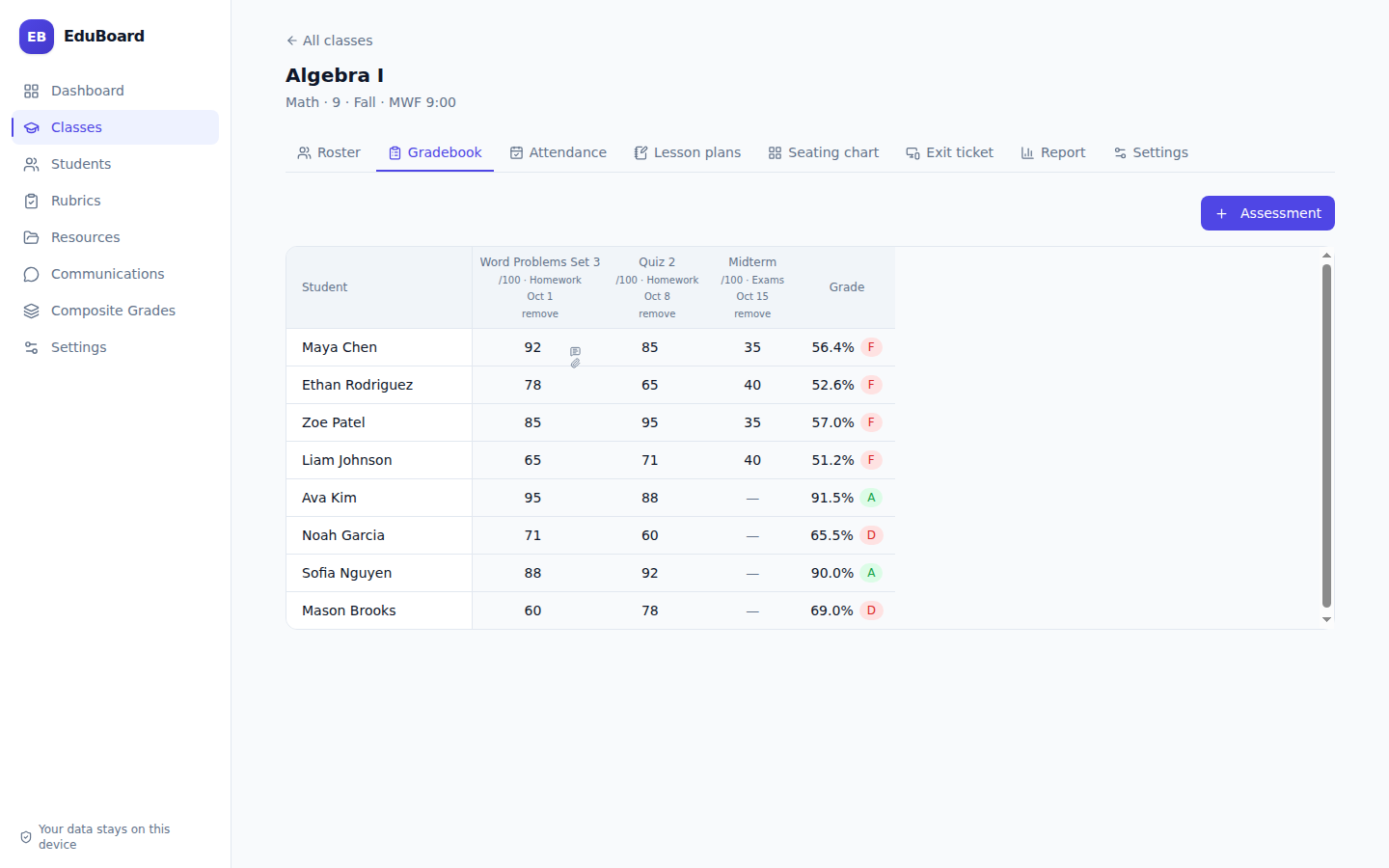
Enter scores in a spreadsheet-style gradebook, reuse rubrics and keep a change history for recorded marks.
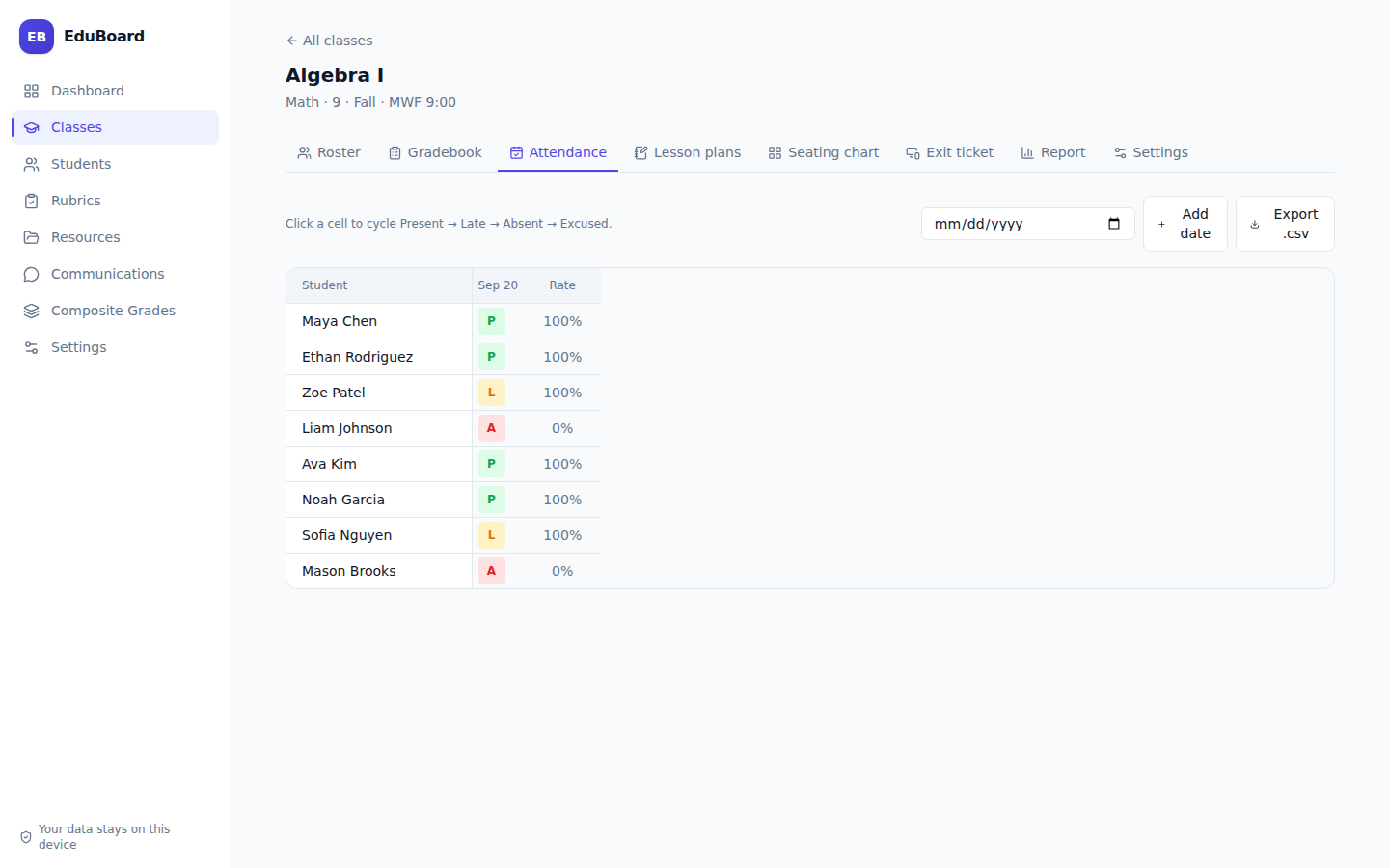
Mark Present, Late, Absent or Excused and see attendance rates without maintaining another tracker.
Store objectives, materials, activities and homework beside the classes and assessments they belong to.
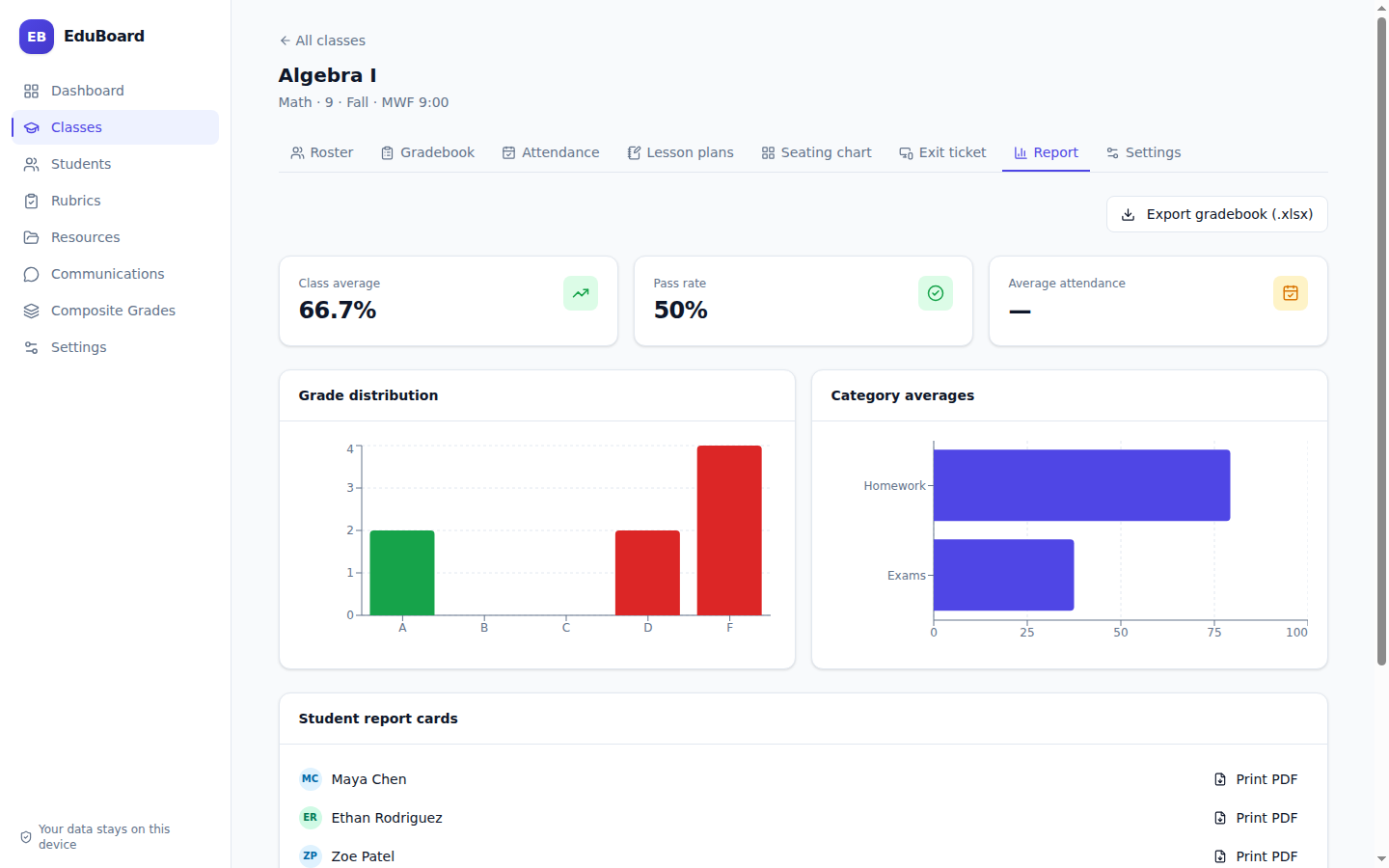
See class averages, pass rates, grade distributions and attendance trends, then create printable student reports.
Bring in rosters from Excel or CSV, export gradebooks, and create restorable database backups.
REAL INTERFACE / REAL WORKFLOW
LOCAL-FIRST ARCHITECTURE
EduBoard uses a local SQLite database and does not require a hosted backend. In portable Windows mode, the database can live beside the executable, making the application and its data movable together between machines.
AVAILABLE NOW / V0.1.1
Choose a current build. The Windows portable edition is especially suited to moving between a home computer and a classroom machine.
Current builds are unsigned, so Windows SmartScreen or macOS Gatekeeper may show a first-launch warning. Installation guidance is included in the User Guide ↗.
Built for the classroom.
Owned by the teacher.